
TVET Batch B Registration 2026: How to Resolve Technical Issues
The Technical and Vocational Education and Training (TVET) Batch B application portal has recently recorded a significant increase in user activity. As a result, many applicants are experiencing different technical difficulties during registration. These challenges are mainly linked to high traffic on the system, server limitations, and real time data verification processes.

This article highlights the common TVET Batch B technical issues (2026 update) and provides clear explanations and practical solutions for affected applicants.
List of Common TVET Batch B Technical Issues
- Returning Applicants Login Issue (Invalid Credentials)
- New Applicants Account Creation Problem
- Bank Verification Number (BVN) Validation Error
- No Available Training Centres for Selected Skill
- OTP (One-Time Password) Delivery Issue
- Application Submission Failure
- Previous Applicants Dashboard Not Updating
1. Returning Applicants Login Issue (Invalid Credentials)
Many returning applicants are unable to access their dashboards due to “invalid login credentials” errors, even after previously registering for earlier batches.
Note: Returning applicants are advised to use their registered phone number as username
How to Resolve Issue
- Keep clicking on the LOG IN until the fetch your your details
- Recheck username and password carefully
- Use the correct registered phone number
- Retry login after some time due to high traffic
2. New Applicants Account Creation Problem (Proceed Button Not Active)
Many new users may experience issues where the “Proceed” button does not respond after entering email and phone number.
How to Resolve the Issue
- Enter the correct email address and valid phone number
- Wait a few seconds for system validation
- Refresh the page and re-enter details
- Clear browser cache or switch browser to desktop mode
- Try during low traffic periods
3. Bank Verification Number (BVN) Validation Error
Many applicants experienced a BVN validation errors. This BVN validation errors occur when the system fails to verify applicant details with banking records. The system is designed to automatically retrieve user information after successful BVN verification.
How to Resolve the Error
- Ensure names match exactly with bank records
- Confirm correct date of birth alignment
- Enter BVN carefully without mistakes
- Retry later if system is busy
- Use stable internet connection
- Visit your bank to correct BVN details if necessary
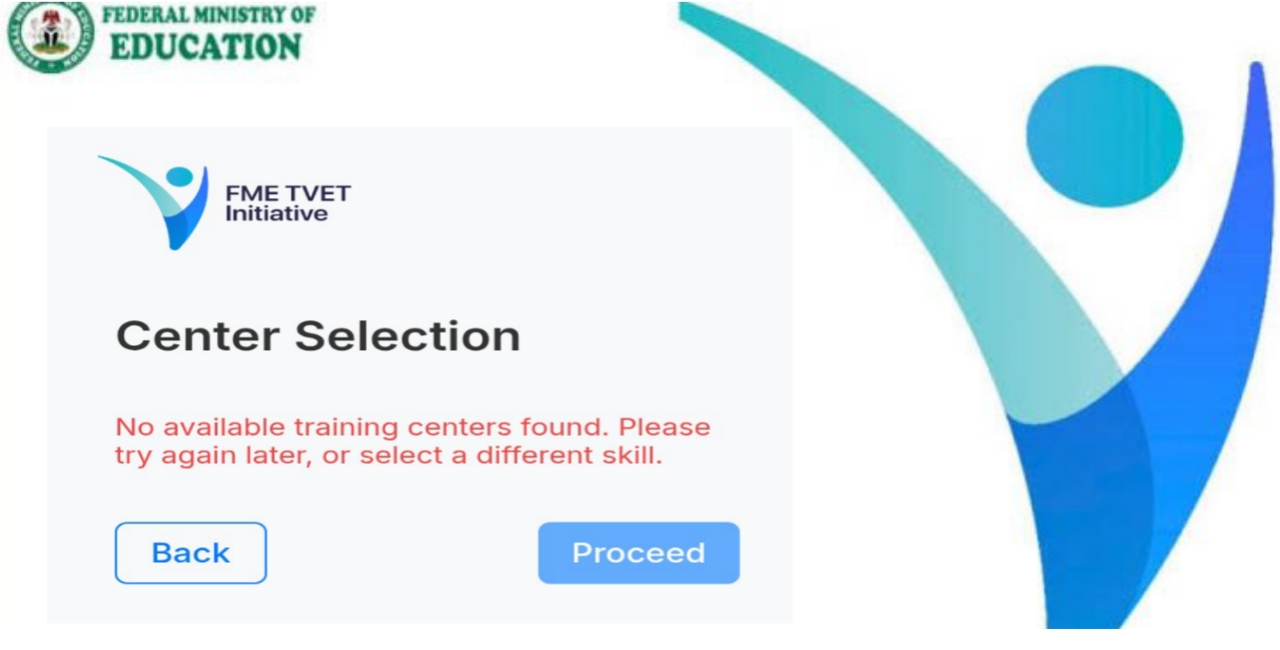
4. No Available Training Centres Issue
Applicants may sometimes see a message indicating that no training centre is available for their selected skill. This because of the following reasons;
- Limited centres for selected skill
- Full capacity in specific locations
- Temporary system update
How to Resolve the Issue
- Try again later as centres may be updated
- Select a different skill with available slots
- Change LGA to state capital or nearby LGA areas
Read Related Posts:
- TVET Batch B 2026 Registration Portal: Requirements and How to Apply
- YEIDEP Program for Nigerian Youths
- Federal Government SkillUp Artisan (SUPA) Training Program
- Digital Upskilling Program for Young Nigerians
- N-Skills Program for Nigerians Youth 2025
- GEEP Loan Application Portal 2026: How to apply Step by Step
- NDE Renewed Hope Job Creation Programme
- Renewed Hope Smallholder Support and Value-Chain Fund (RH-SHF) 2026: How to Apply, Benefits, Eligibility & Full Guide
- Renewed Hope Ward Development Project Grant Application 2026
5. OTP (One-Time Password) Delivery Issue
Many applicants experience delays or failure in receiving OTP codes required for account verification. This is often caused by network congestion and high application traffic.
How to Resolve the Issue
- Confirm correct phone number and email address
- Wait before requesting another OTP
- Avoid repeated OTP requests
- Check spam/junk folders in your email
- Ensure strong network signal
- Disable DND (Do Not Disturb) on phone
- Retry after some hours
- Restart device if necessary
- Use alternative contact if needed
6. Application Submission Failure
Many applicants are unable to submit their completed application forms despite filling all required information. Application submission failure may be any one of the following causes:
- Server overload due to high traffic
- Incomplete or unvalidated form fields
- Weak internet connection
- Browser related issues
How to Resolve the Issue
- Review all details entries from all sections carefully
- Use stable internet connection
- Refresh or reload application page
- Clear browser cache or change browser
- Avoid repeated rapid submission attempts
- Try again during less busy hours
7. Previous Applicants Dashboard Not Updating (Skill Change Issue)
Many returning applicants who changed their selected skills notice that their dashboard still displays the previous skill, even after receiving email confirmation of updates. The following could be the reasons:
- Delay in system synchronization between backend database and dashboard interface
How to Resolve the Issue
- Log out and log in again to refresh dashboard
- Clear browser cache or use a different browser
- Allow time for system updates to reflect
- Ensure login session is fully refreshed
- Use email confirmation as valid proof of update
Visit official TVET Application Portal for Batch B Registration